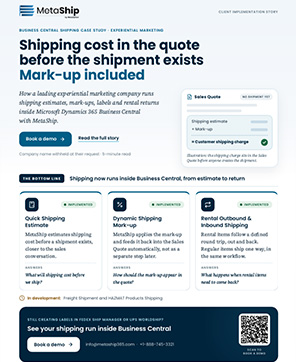
Real-Time Shipping Estimates For Every Sales Quote
MetaShip delivers real-time shipping estimates by fetching live carrier rates, calculating freight costs, and adding shipping charges direct to Business Central Sales quotes- helping you quote orders with confidence before they’re confirmed.
Quoting Freight Shouldn’t Be Guesswork
Every team without ERP shipping automation hits the same four friction points. Here’s what changes.
Three Capabilities That Simplify Shipping Estimates
Get accurate freight pricing, protect shipping margins, and handle complex shipments before the customer approves the quote.
Real-Time Carrier Rates
View live carrier rates, delivery dates and compare carrier service options side-by-side in BC.
Automatic Shipping Charge Calculation
Apply configured markups automatically and turn carrier rates into customer-ready pricing in seconds.
Estimate Multi-Packaging
Calculate accurate costs of complex shipments across multiple packages by weights and dimensions.
Turn a Sales Quote into an Accurate Shipping Estimate in 5 Steps
Every team without ERP shipping automation hits the same four friction points. Here’s what changes.
To begin with, create a Sales Quote in BC by entering the customer, products and shipping information.
- Select the customer, add line items
- Select a carrier and delivery method
- Initiate the MSP Get Estimate from the Home Menu
To request carrier rates, you need to specify the package details including box type, dimensions, quantity and shipment weight.
- Create manual packages for the shipment
- Set package dimensions and quantity per box
- Each package is defined with a shipment weight
MetaShip enables you to view and compare real-time carrier pricing, delivery timeline and service options from connected shipping providers.
- Live rates fetched directly from carrier APIs
- Compare pricing, delivery timeline and service levels
- Select the preferred carrier option and continue
Choose the carrier rate and let MetaShip create the freight charge automatically on the Sales Quote.
- Automatically apply shipping markup
- Freight charge added directly to the quote
- Supporting the outbound and return shipping estimates
Convert the approved Sales Quote into a Sales Order with all shipping costs carried forward automatically.
- Freight charges transfer with the order
- Sales Order ready for fulfillment and shipping
- Complete audit trail maintained across the process
See a Live Demo
We’ll walk through your exact use case of shipping rate calculator inside Business Central — no slides, no generic pitch.
Numbers That Matter to Your Business
What Shipping Teams Are Saying
The automatic markup and quote line creation alone justified the investment. Our billing team no longer spends Friday afternoons reconciling shipping charges that didn’t make it from the quote to the invoice.
MetaShip is the only tool that estimates both delivery and return shipping in one workflow inside Business Central. The inbound estimate feature alone saves us from constant billing headaches on rental orders.
Trusted Carriers, Connected to Business Central